
Complete contact data
Name, phone, website, full address, category, rating, coordinates and Maps link for every business — no need to open each listing.
Extract names, phones, websites and addresses from any Google Maps search — thousands at a time, in the background, straight to CSV. Now also exports LinkedIn, Facebook, Instagram and TikTok search results.
10,000 free leads · No credit card · Google sign-in
Features
Built for sales teams, agencies and founders who prospect local businesses.
Name, phone, website, full address, category, rating, coordinates and Maps link for every business — no need to open each listing.
Pick a lead target and it searches area by area outward from the map center, skipping duplicates, until the target is reached.
Keep working in other tabs and windows. Extraction runs on network requests, not on what's visible on screen.
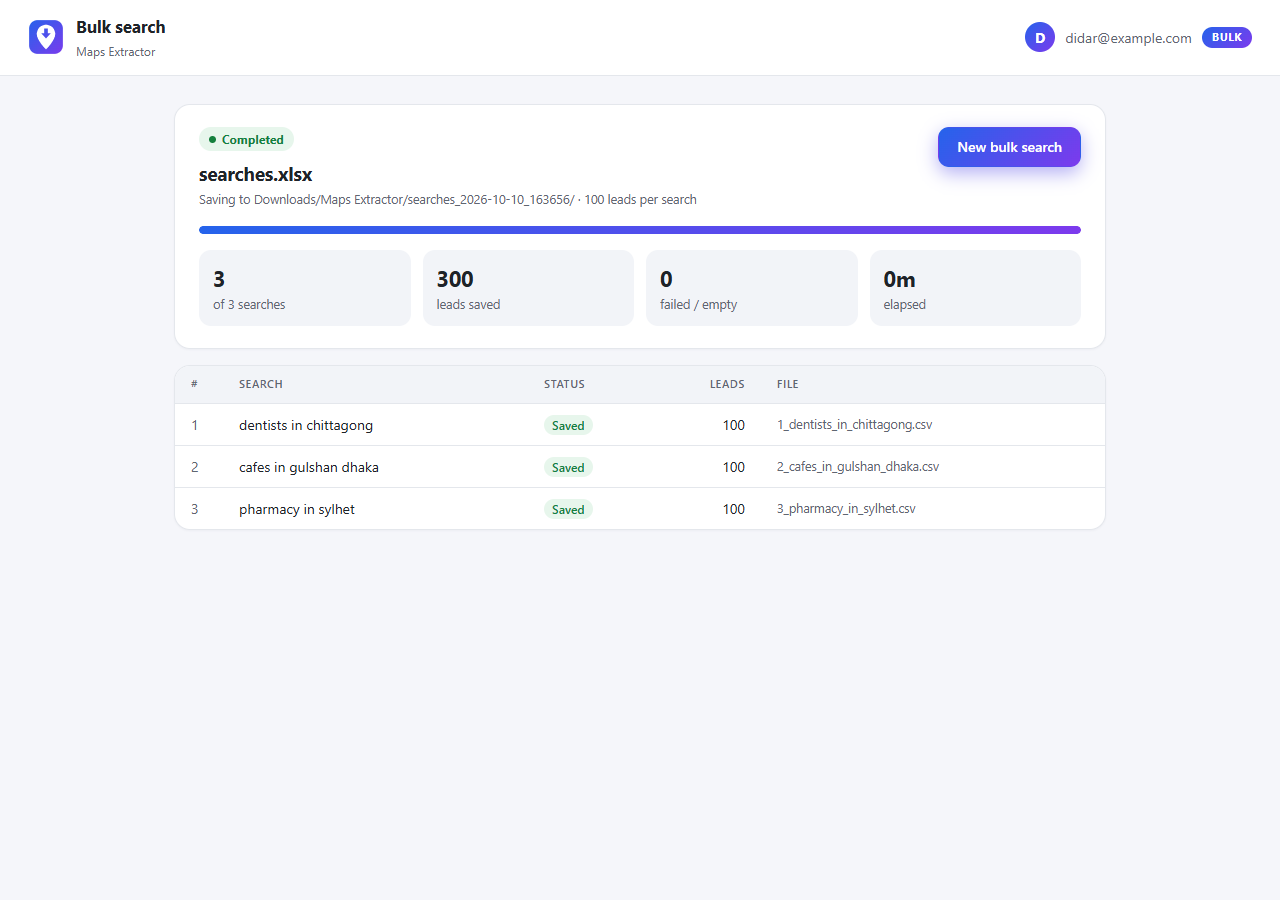
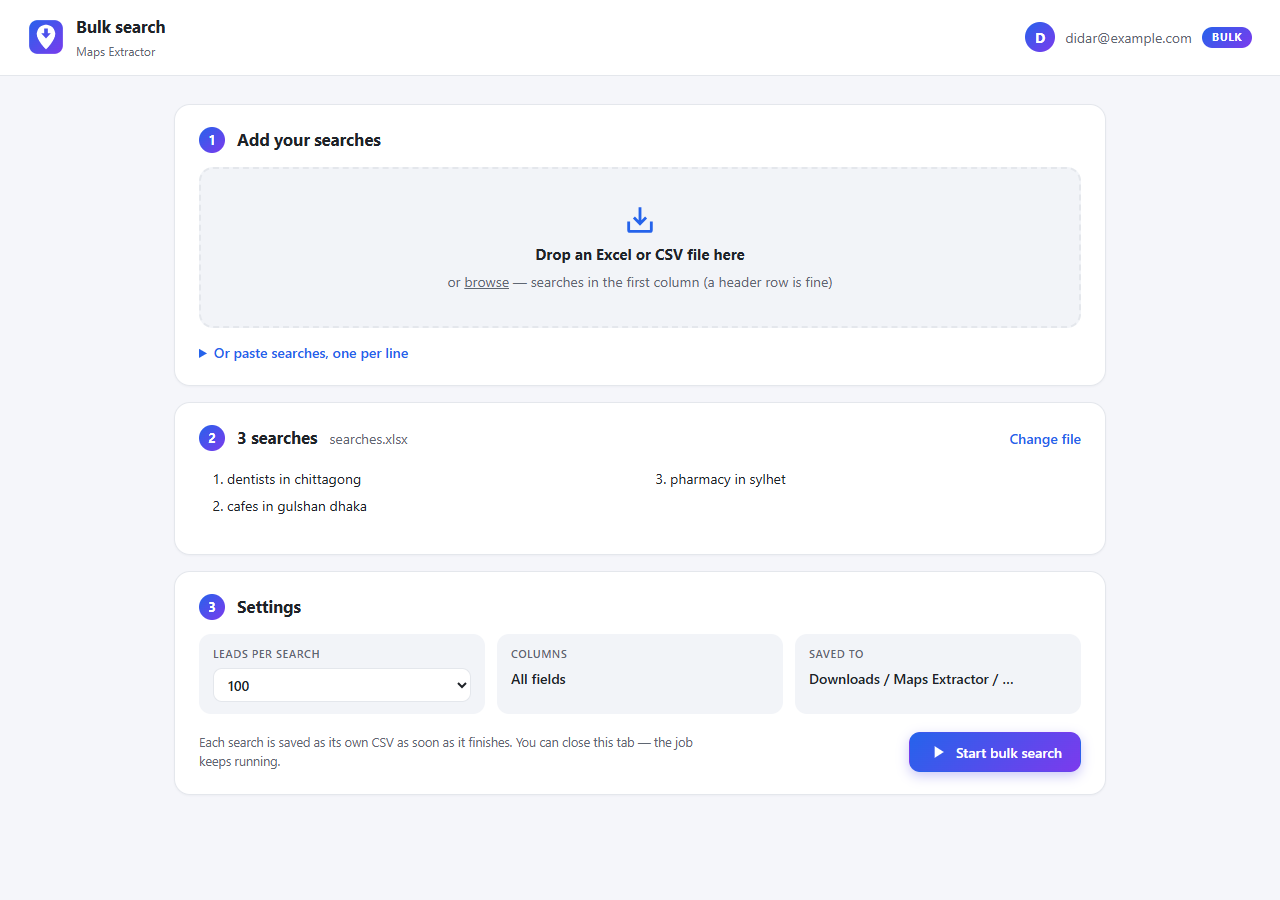
Upload a list of searches. Each one is extracted and saved as its own CSV automatically, with pause, resume and auto-recovery.
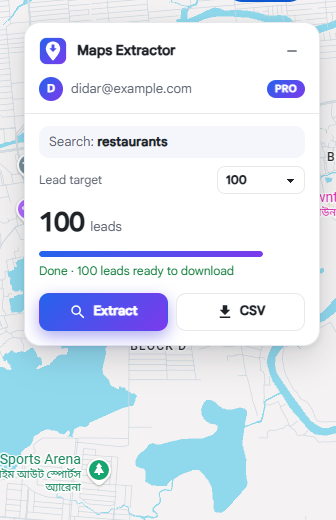
Results are saved as they arrive. Download the CSV mid-run or after — Excel-ready UTF-8, including Bangla and other scripts.
Only need name and phone? Pick the columns once and every CSV — single or bulk — includes just those.
How it works
Install the extension, sign in with Google and search as usual — for example “dentists in Dhaka”.
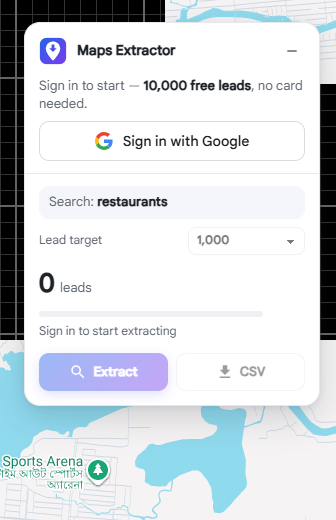
Choose a lead target. The panel shows live progress while it collects leads area by area.
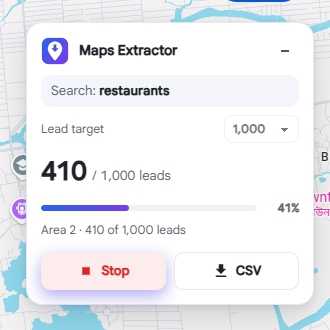
Click CSV at any point. Open it in Excel or Google Sheets, or import it into your CRM.
Demo
Install, sign in, extract a city's worth of leads and run a bulk search — in a few minutes.
Demo video coming soon
A 3-minute walkthrough: install, sign in, extract leads and run a bulk search.
Business plan
Drop an Excel or CSV list of searches and walk away. Each search becomes its own CSV in your Downloads folder as soon as it finishes.
Pricing
Start free, upgrade when you need more. Every plan includes all data fields, background extraction and CSV export.
Try it on real searches. No card needed.
$0forever
For freelancers and sales reps working one search at a time.
$10per month
For teams running hundreds of searches at once.
$50per month
Hands-off lead generation across every source.
$99per month
Planned price
| Feature | Free | Pro | Business | Agency |
|---|---|---|---|---|
| Google Maps leads | 10,000 total | Unlimited | Unlimited | Unlimited |
| Lead target per search | Up to 5,000 | Unlimited | Unlimited | Unlimited |
| Background extraction & CSV export | ||||
| Area-by-area search across whole cities | — | |||
| Choose your CSV columns | — | |||
| Bulk search from Excel or CSV | — | — | ||
| Auto-download, pause, resume & notifications | — | — | ||
| Social search export (Beta) | ||||
| Automated social scraping | — | — | — | Coming soon |
| Support | Priority |
Prices in USD. Secure checkout. Cancel anytime from the extension. Social search export (Beta) is free on every plan. Agency is a planned plan; its price and features may change before launch.
FAQ
Name, phone, website, full address, category, star rating, latitude/longitude and a Google Maps link. You can choose which columns go into the CSV.
No. Keep the Maps tab open, but you can switch to other tabs or windows while it extracts — it runs on network requests, not on what's on screen. Bulk jobs don't need a Maps tab at all.
Google returns a few hundred results per search, so for bigger targets the extension searches area by area outward from the map center and skips duplicates. In a city that's usually thousands of leads for a broad search like “restaurants”.
You keep everything you've collected. The 10,000 free leads are counted per Google account with no time limit; upgrade to Pro or Business for unlimited leads.
Excel (.xlsx, .xls) and CSV. Put one search per row in the first column — a header row like “Search” is fine. Duplicates and blank rows are removed automatically.
Yes, in Beta: LinkedIn (people, companies, jobs), Facebook (people, pages, groups, events), Instagram (accounts, and keyword, hashtag and location posts) and TikTok (videos, users, hashtags). Search on the site, click Extract in the panel and download the CSV. It's free on every plan and needs no sign-in.
It reads only the results the site already shows you, never opens profiles or posts, and pauses between pages. Still, these sites prohibit automated collection in their terms and may restrict accounts they flag — so use it sparingly and at your own risk.
Yes, anytime from the extension popup → Manage subscription. You keep your plan until the end of the period you've paid for.
Yes. It works anywhere Google Maps works. Search in any language; the CSV is UTF-8 so local scripts display correctly in Excel.
Install the extension, sign in with Google and start extracting in under a minute.
New · Beta
Beyond Google Maps: social search export
Turn the search results you already see on LinkedIn, Facebook, Instagram and TikTok into a CSV. Free for everyone while in Beta — no sign-in needed.
LinkedIn
BetaNames, headlines, locations, companies, followers and job listings with posted dates.
CSV columns include
nameheadlinelocationcurrentcompanyposted_dateprofile_urlFacebook
BetaPages with category and followers, groups with members and activity, people with location and work.
CSV columns include
namecategoryfollowersmemberslocationworkpage_urlInstagram
BetaAccounts with followers, and posts with captions, hashtags, likes, comments, views and dates.
CSV columns include
usernamefull_namefollowerscaptionhashtagslikescommentsposted_atTikTok
BetaVideos with exact views, likes, comments, shares, saves, music and dates; users with followers and bios.
CSV columns include
video_urlusernamecaptionviewslikessharesmusicposted_atSearch as usual
Open LinkedIn, Facebook, Instagram or TikTok and search. The extractor panel appears on the page.
Choose how far to go
Pick result pages (LinkedIn) or how many results to collect. It pages or scrolls for you, with pauses.
Download the CSV
Click CSV in the panel or in the toolbar popup — anytime, even mid-run.
Built to be gentle. It reads only results the site already shows you, never opens profiles or posts, and paces itself with pauses. These sites limit automated activity in their terms, so use it sparingly.
Social export guide →